This article was co-authored by wikiHow staff writer, Nicole Levine, MFA. Nicole Levine is a Technology Writer and Editor for wikiHow. She has more than 20 years of experience creating technical documentation and leading support teams at major web hosting and software companies. Nicole also holds an MFA in Creative Writing from Portland State University and teaches composition, fiction-writing, and zine-making at various institutions.
This article has been viewed 13,664 times.
Learn more...
This wikiHow teaches you how to prevent Instagram from saving your login name and password. Normally when you sign out of Instagram, your Android, iPhone, or iPad remembers your login so you can easily sign back in next time. If you want to delete a saved log in, you'll just need to sign out and remove the login information from the sign-in screen.
Steps







References
About This Article

1. Tap the profile icon.
2. Tap the menu.
3. Tap Settings.
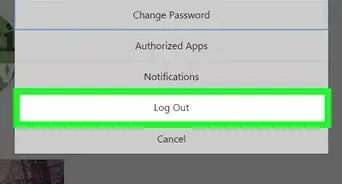
4. Tap Log out (your name).
5. Tap Log Out.
6. Tap Edit.
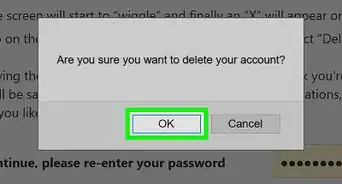
7. Tap the X next to your login.
8. Tap Remove.